

Administration
Audit Logs
Updated: November 16, 2026
A complete record of every action taken in your distributorship.
Every API call made against your distributorship — from the portal, the API, or SCIM — is recorded in the Audit Logs, available under Settings → Audit Logs.
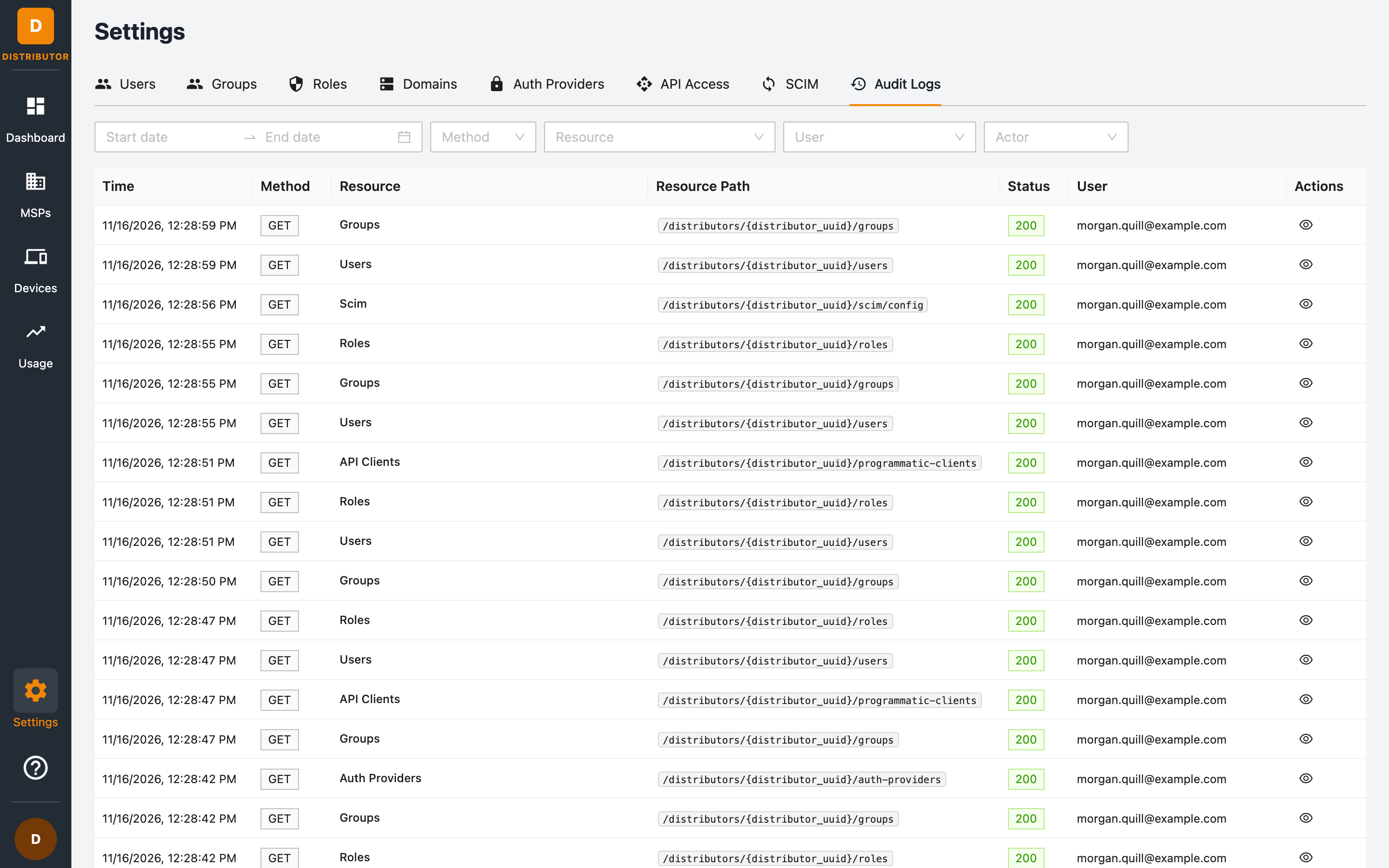
The log table
| Column | Meaning |
|---|---|
| Time | When the request happened. |
| Method | The HTTP method (GET, POST, PATCH, DELETE, …). |
| Resource | The resource category (MSPs, Users, SCIM, API Clients, …). |
| Resource Path | The API route that was called, for example /distributors/{distributor_uuid}/programmatic-clients. |
| Status | The HTTP response status code. |
| User | Who performed the action. |
Click the eye button on a row to open the Audit Log Detail: the method, status, time, user, the full request path, and the recorded request and response bodies.
Filtering
Use the toolbar to narrow the results:
- Date range — start and end dates.
- Method — filter by HTTP method.
- Resource — filter by resource category.
- User — filter to actions performed by a specific user.
- Actor — filter by actor type (for example interactive users vs API clients).
Common uses
- Security review — see who suspended or deleted an MSP, and when.
- Change tracking — trace configuration changes to auth providers, roles, or users.
- Integration debugging — verify that your SCIM or API integration is making the calls you expect (and spot non-2xx statuses quickly).
Related permissions
Viewing audit logs requires the audit:list permission.