

Administration
Roles & Permissions
Updated: November 16, 2026
Control what distributor users can do with built-in and custom roles.
Roles bundle permissions together and are assigned to your distributor users. A user's effective permissions are the union of all their roles. Manage them under Settings → Roles.
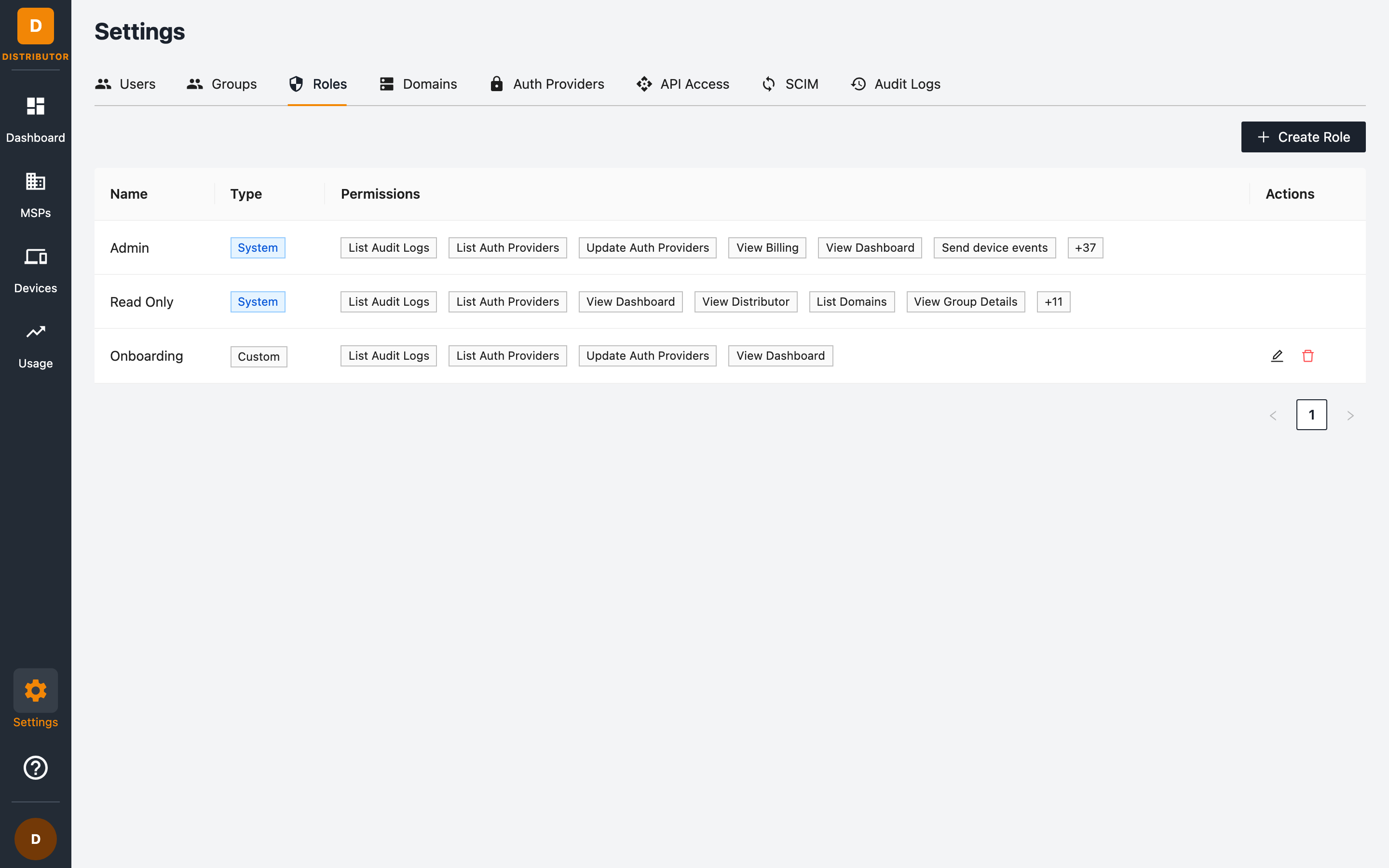
The roles table shows each role's Name, its Type (System for built-in roles, Custom for yours) and its Permissions.
Built-in roles
Two System roles are provided out of the box and cannot be edited or deleted:
- Admin — all 43 permissions across the distributor: MSPs, devices, users, roles, groups, auth providers, domains, API clients, SCIM, reports, billing and audit logs.
- Read Only — the list and view permissions only.
Creating a custom role
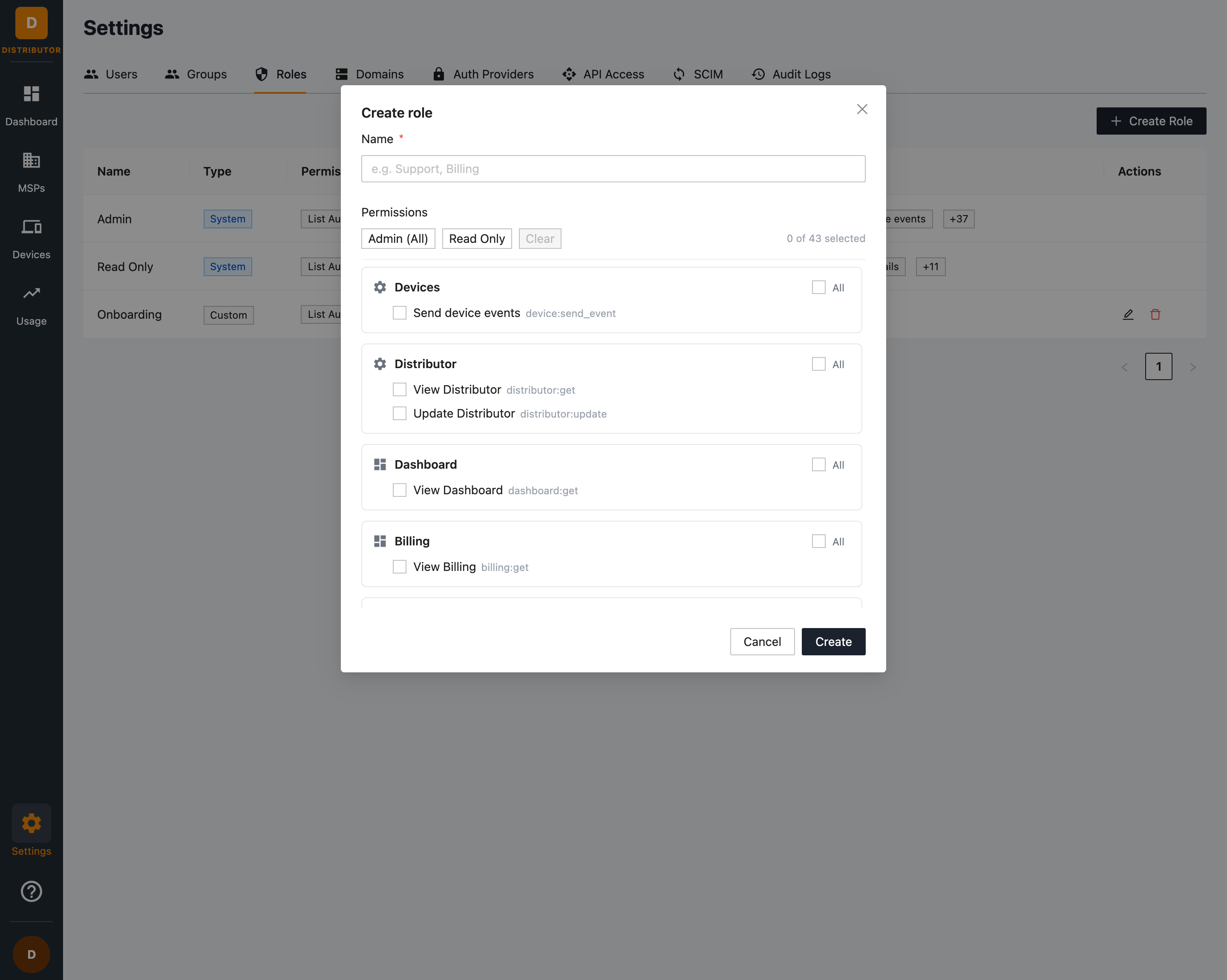
- Go to Settings → Roles and click + Create Role.
- Name the role (for example Support, Billing).
- Select permissions individually, or use the shortcuts:
- Admin (All) — select all 43 permissions.
- Read Only — select only list/view permissions.
- Clear — deselect everything.
- Click Create.
Permission reference
Permissions follow a resource:action pattern and are grouped by resource:
| Resource | Permissions |
|---|---|
| Devices | device:send_event |
| Distributor | distributor:get, distributor:update |
| Dashboard | dashboard:get |
| Billing | billing:get |
| MSPs | msp:create, msp:get, msp:list, msp:update, msp:suspend, msp:delete, msp:launch, msp:api |
| Groups | group:create, group:get, group:list, group:update, group:delete |
| Users | user:create, user:get, user:list, user:update, user:delete |
| Roles | role:create, role:get, role:list, role:update, role:delete |
| Permissions | permission:list |
| Auth Providers | auth_provider:list, auth_provider:update |
| Domains | domain:list |
| API Access | programmatic_client:create, programmatic_client:list, programmatic_client:delete |
| Audit Logs | audit:list |
| Reports | report:generate, report:list, report:get, report:delete |
| SCIM | scim:config, scim:read, scim:write |
Notable permissions:
msp:launch— allows the user to launch into MSP portals.msp:suspend/msp:delete— destructive MSP lifecycle actions; grant sparingly.programmatic_client:create— allows creating API clients which carry their own permission sets.device:send_event— allows sending events, such as a health check, to devices from the Devices page.scim:config— allows managing SCIM settings and credentials.scim:readandscim:writeare what SCIM clients use to read and change users and groups.report:generate— allows generating an MSP's monthly client reports from the distributor portal (the same reports the MSP sees in its own portal).report:listandreport:getare read permissions and part of the built-in Read Only role;report:deleteis Admin-only.billing:get— allows reading the distributor-wide license usage for all MSPs, ignoring the user's group scope. Granted to the built-in Admin role only: unlike the other:getpermissions, it is not part of the built-in Read Only role or the Read Only shortcut.
Example role designs
| Role | Suggested permissions |
|---|---|
| Support | msp:list, msp:get, msp:launch, dashboard:get, audit:list |
| Billing | dashboard:get, billing:get, msp:list |
| MSP Manager | All MSPs and Groups permissions plus dashboard:get |
Editing and deleting roles
Use the edit and delete buttons on a role's row. You cannot delete a role that would leave users without any role — reassign users first.