

Getting Started
Welcome to the MSP Portal
Updated: November 16, 2026
Everything you need to manage your clients' AI security with FireTail's MSP Portal.
The FireTail MSP Portal is a management console for Managed Service Providers (MSPs). From a single pane of glass you can create and manage client workspaces, monitor AI usage across your entire client base, and administer your own team's access.
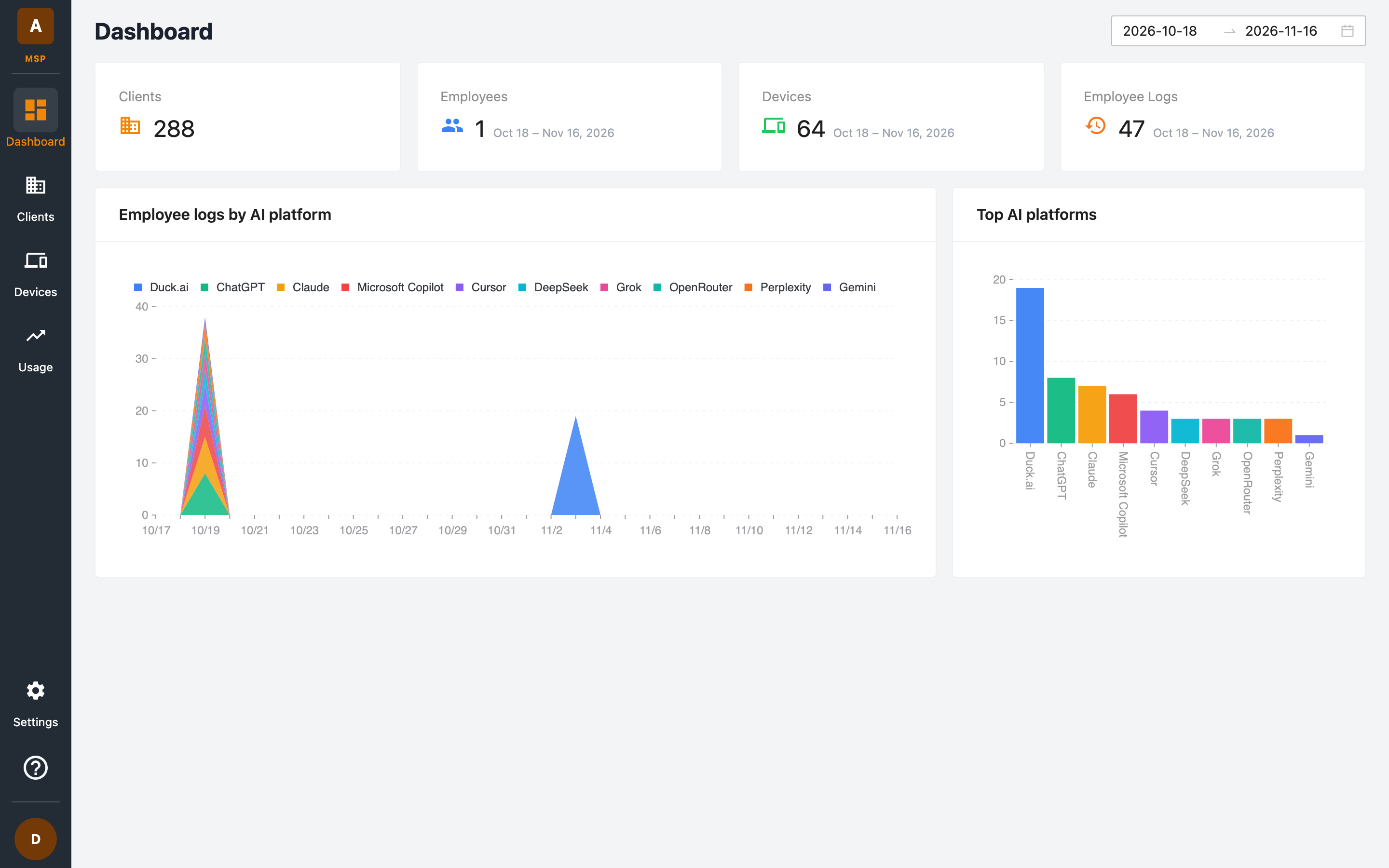
What you can do
| Area | What it's for |
|---|---|
| Dashboard | At-a-glance metrics for your whole client base — clients, employees, devices, and AI activity logs. |
| Clients | Create and manage client workspaces, assign products and plans, and launch directly into a client's FireTail platform. |
| Devices | See every device reporting from your clients' workspaces, whether it is connected, and which agent version it runs. |
| Usage | Track license usage, employee and device counts, AI requests, and guardrail activity over time — with CSV export and monthly reports for billing. |
| Settings | Manage your MSP team: users, groups, roles, audit logs, domains, authentication, API access, SCIM, and distributor access. |
Navigating the portal
The sidebar on the left is always available. Your MSP's initial is shown at the top, followed by:
- Dashboard — the landing page with headline metrics.
- Clients — the client list and client management tools.
- Devices — the devices reporting from your clients.
- Usage — detailed usage, license, and guardrail reporting.
At the bottom of the sidebar:
- Settings — administration for your MSP team and integrations.
- Help — opens this documentation.
- Profile menu — shows your signed-in email address and lets you log out.
First steps
- Sign in to your MSP portal using your branded portal URL.
- Create your first client and choose which FireTail products to protect them with.
- Invite your team and assign them roles and group access.
- Monitor usage as your clients come online.
Need help?
Contact us at support@firetail.io, or visit the FireTail platform documentation for product-level guides.