

Administration
API Access
Updated: November 11, 2026
Automate your MSP with programmatic API access using OAuth 2.0 client credentials.
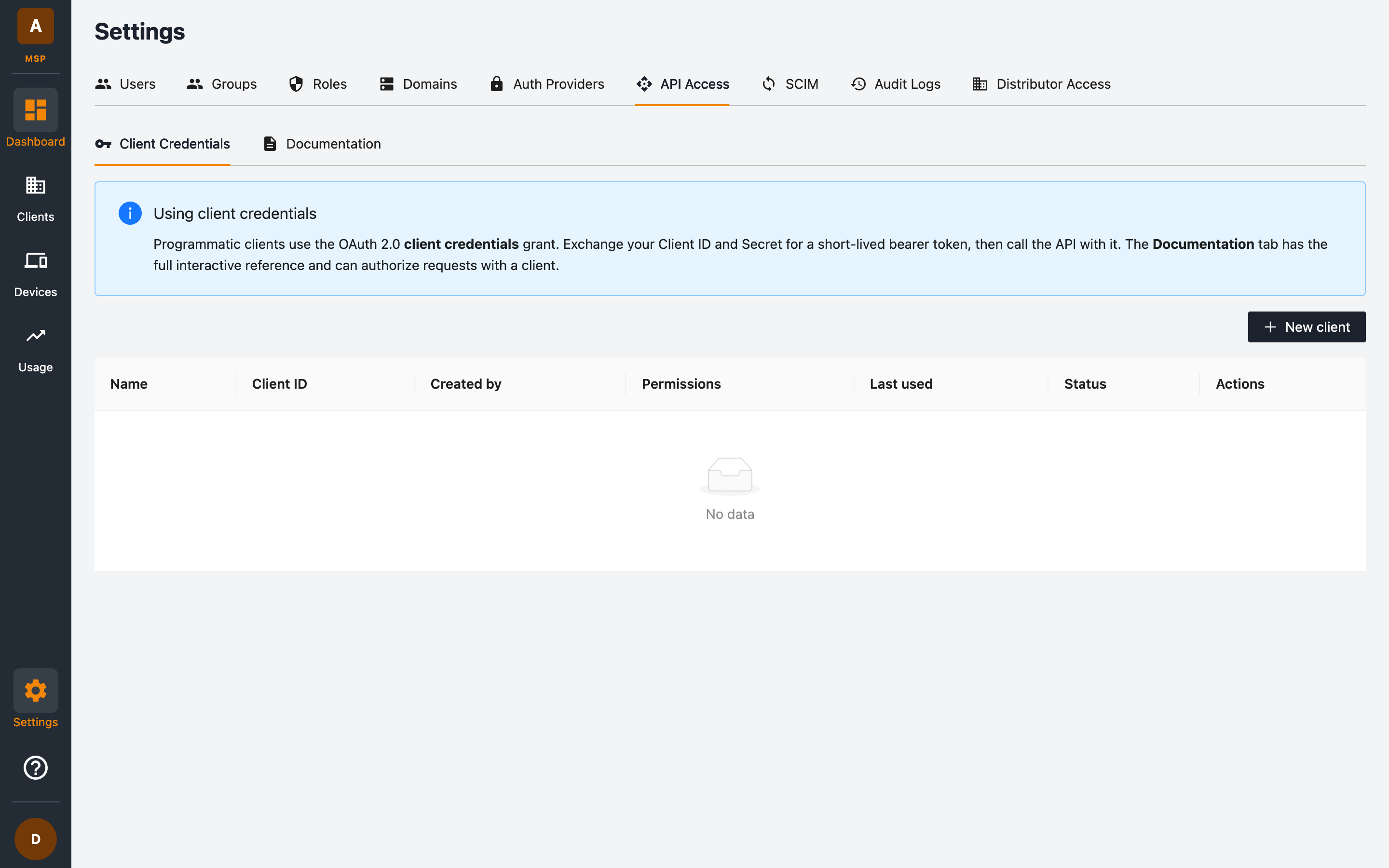
The Settings → API Access tab lets you create machine credentials for automating MSP operations — provisioning clients, pulling usage data, and more.
How it works
Programmatic clients use the OAuth 2.0 client credentials grant:
- Create a client to get a Client ID and Client Secret.
- Exchange the ID and secret for a short-lived bearer token.
- Call the MSP with the token in the
Authorizationheader.
# 1. Exchange credentials for a token (POST /oauth/token)
curl -s https://<your-portal-api>/oauth/token \
  -H 'Content-Type: application/json' \
  -d '{"grant_type": "client_credentials", "client_id": "ftmsp_xxxxxxxxxxxx", "client_secret": "<secret>"}'
# → {"access_token": "...", "token_type": "Bearer", "expires_in": 900}

# 2. Call the API with the token
curl -s https://<your-portal-api>/msps/<msp-uuid>/clients \
  -H "Authorization: Bearer $TOKEN"
Tokens are valid for 15 minutes (expires_in: 900) — request a new one when it expires rather than caching long-term. Client IDs are public identifiers prefixed ftmsp_; the secret is the only sensitive part.
Billing and client reports
# Billable license usage for the current month (UTC), across all your clients — needs billing:get
curl -s https://<your-portal-api>/msps/<msp-uuid>/licensing \
  -H "Authorization: Bearer $TOKEN"
# → {"periodStart": "2026-03-01T00:00:00.000Z", "periodEnd": "2026-03-17T12:00:00.000Z",
#    "totalLicenseUsage": 66, "totalEmployees": 66, "totalDevices": 25, "billableClientCount": 2,
#    "nfrLicenseUsage": 0, "nfrClientCount": 0,
#    "clients": [{"clientUuid": "...", "clientName": "Acme", "isNFR": false, "billable": true,
#                 "activeUsers": 40, "activeDevices": 12, "licenseUsage": 40}, ...]}

# The whole of last month (UTC), for example for invoicing
curl -s 'https://<your-portal-api>/msps/<msp-uuid>/licensing?period=previous_month' \
  -H "Authorization: Bearer $TOKEN"
# → {"periodStart": "2026-02-01T00:00:00.000Z", "periodEnd": "2026-02-28T23:59:59.999Z", ...}

# Billable clients only — needs client:list
curl -s 'https://<your-portal-api>/msps/<msp-uuid>/clients?is_nfr=false' \
-H "Authorization: Bearer $TOKEN"/licensingcounts each client asmax(activeUsers, activeDevices)and sums that over billable clients — the same calculation as the License Usage (Current Month) card. NFR clients are left out; add?include_nfr=trueto list them too (they are reported innfrLicenseUsage/nfrClientCountand never count as billable).periodselects the month, in UTC:current_month(the default) runs from 00:00 UTC on the 1st up to now, andprevious_monthis the whole of last month, from 00:00 UTC on its 1st to 23:59:59.999 UTC on its last day.periodStart/periodEndreport the exact range. Only clients that still exist are listed, so a client deleted since the end of last month is not included inprevious_month./licensingis controlled by thebilling:getpermission alone and always covers every active client of the MSP, including clients that have revoked your data access (they are still billable).billing:getis granted to the built-in Admin role only (not Read Only); add it to a custom role to give it to other users or API clients.- On
/clients,is_nfr=truereturns only NFR clients,is_nfr=falseexcludes them, and omitting it returns every client.
Creating a client credential
- Go to Settings → API Access → Client Credentials.
- Click + New client.
- Name the client and select the permissions it should have — the same fine-grained permissions used by roles, so you can scope a credential to exactly what your automation needs.
- Copy the Client Secret when it's shown — it won't be displayed again.
Managing credentials
The credentials table shows each client's Name, Client ID, Created by, Permissions, Last used timestamp, and Status. Use the row actions to rotate or revoke a credential.
Security tips:
- Grant only the permissions each integration needs.
- Rotate secrets periodically, and revoke credentials that show no recent Last used activity.
- Store secrets in a secrets manager, never in source control.
Interactive API documentation
The Documentation sub-tab contains the full interactive API reference. It can authorise requests using one of your client credentials, so you can explore and test endpoints directly from the browser before writing code.