

Monitoring
Audit Logs
Updated: November 16, 2026
Review every action taken in your MSP portal.
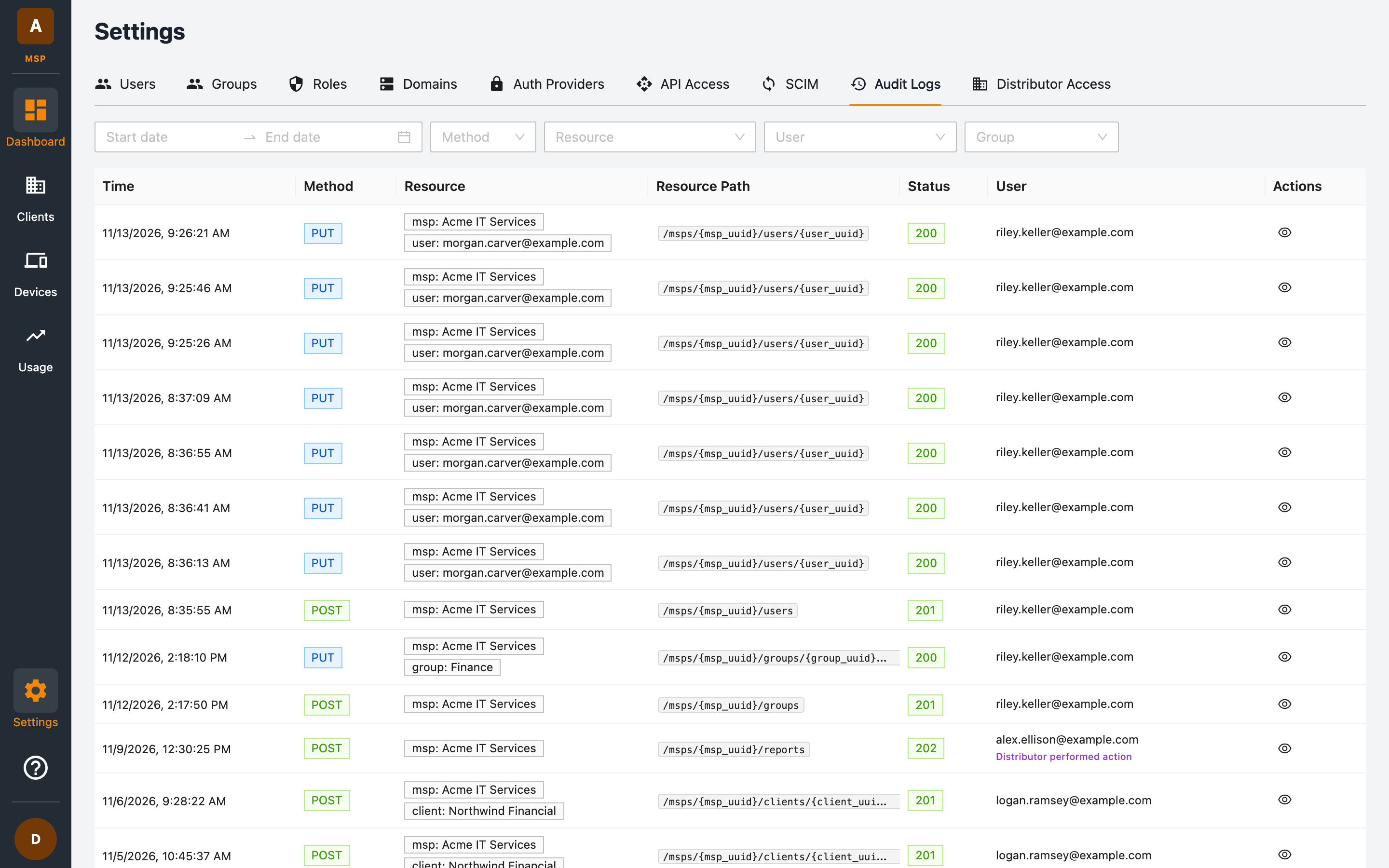
The Audit Logs tab (under Settings → Audit Logs) records every API action performed in your MSP — who did what, when, and whether it succeeded.
What's recorded
Each entry contains:
| Column | Description |
|---|---|
| Time | When the action happened. |
| Method | The HTTP method (GET, POST, PUT, DELETE). |
| Resource | The resources acted on, as tags (for example msp: Acme IT Services and user: alex.ellison@example.com). |
| Resource Path | The API path, such as /msps/{msp_uuid}/permissions. |
| Status | The HTTP response status (for example 200, 403). |
| User | The email of the user who performed the action. Distributor performed action marks an action taken by your distributor. |
Click the eye icon on a row to view the full detail of an entry.
Filtering
Use the filter bar to narrow the log down by:
- Date range — start and end date.
- Method — for example only
DELETEoperations. - Resource — a specific resource type.
- User — actions by a specific team member.
- Group — actions scoped to a specific group.
Typical uses
- Security reviews — verify who changed roles, auth providers, or client configurations.
- Troubleshooting — find failed requests (non-2xx statuses) around the time an issue was reported.
- Compliance — demonstrate an access trail for client-affecting operations.
Viewing audit logs requires the List Audit Logs and View Audit Log Detail permissions, which are included in the built-in Admin and Read Only roles.