

macOS Manual Installation
Updated: October 8, 2026
The FireTail Endpoint Agent is available for macOS as a .pkg. The .pkg can be distributed to users and installed by following an installation wizard, or deployed at scale using your company's MDM software.
Once the FireTail Endpoint Agent is installed, you will need to configure it. This can be done via defaults, which can be managed by most MDM software or configured via CLI.
You will need a FireTail project token to configure the agent. The macOS agent runs in proxy mode.
 Download for macOS
The log file for the FireTail Endpoint Agent is located at /var/log/firetail-agent.log. To view it via CLI:
tail -f -20 /var/log/firetail-agent.logInstallation via wizard
The FireTail Endpoint Agent can be installed on macOS using an installation wizard.
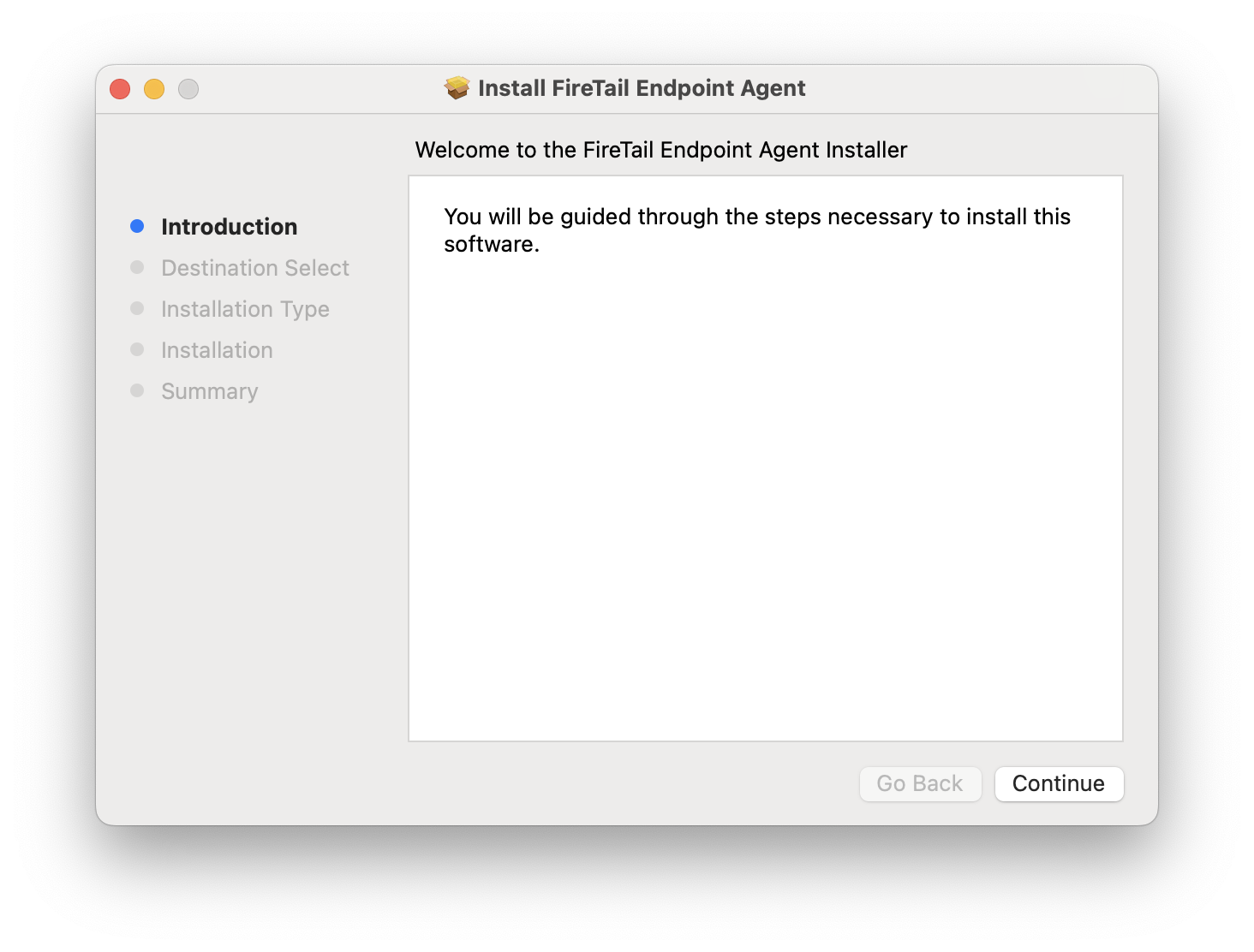
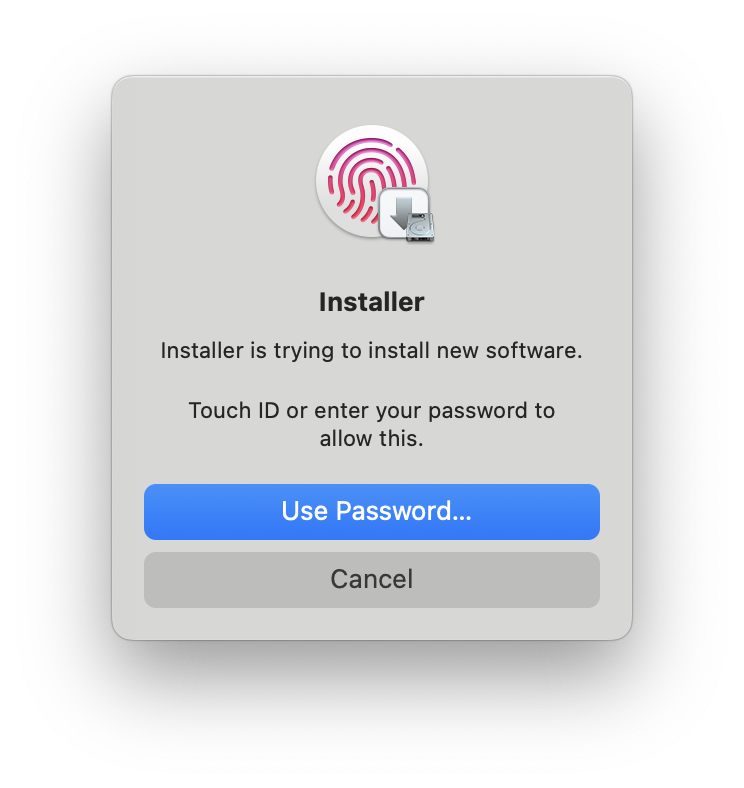
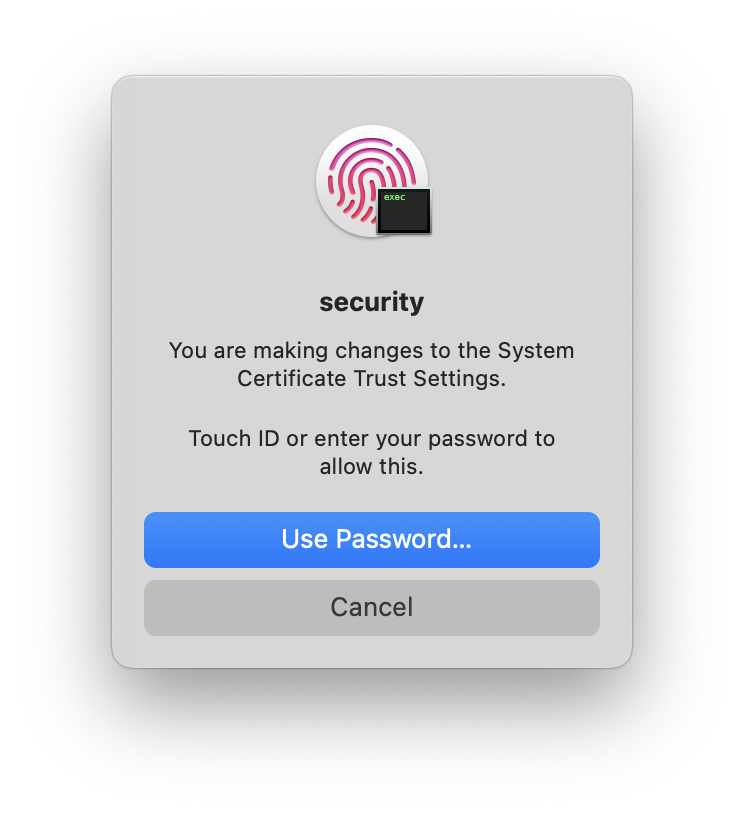
The wizard will require the user to authenticate twice:
- First, with permission to install new software.
- Second, with permission to make changes to the System Certificate Trust Settings - this is required to install the FireTail Endpoint Agent's SSL certificate into the Trust Store.
 |
 |
Upon successful installation the user should be presented with the following dialogue:
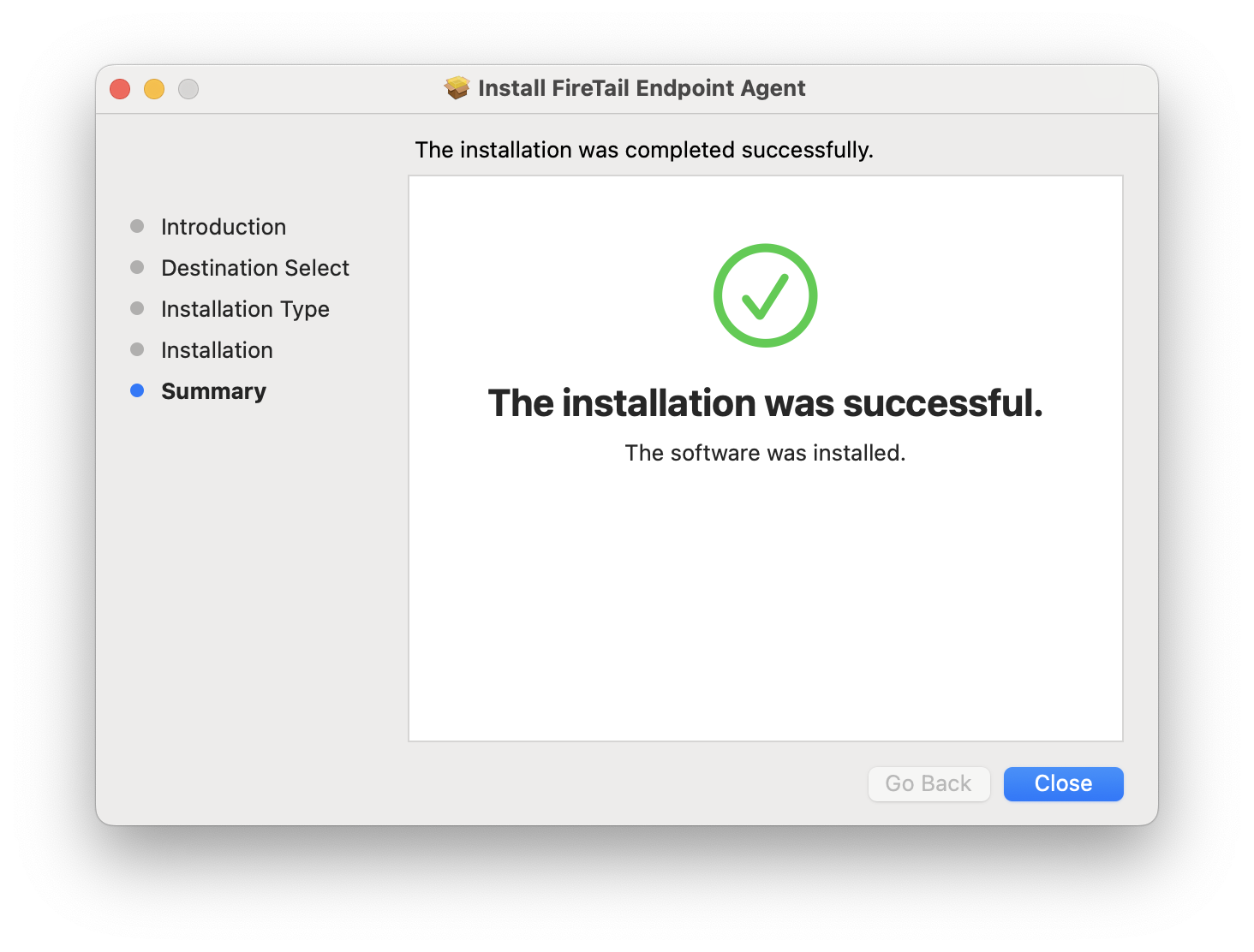
Once the FireTail Endpoint Agent is installed, you can configure it.
Installation via CLI
The FireTail Endpoint Agent can also be installed on macOS via CLI. Download the .pkg and use installer:
sudo installer -pkg "./<downloaded-file>.pkg" -target /Replace <downloaded-file>.pkg with the filename you downloaded, including its version. Verify the download against the SHA-256 checksum shown in the macOS release details. Compare the output below with the checksum for the same release:
shasum -a 256 "<downloaded-file>.pkg"For more details on how to customise the installation using installer, run man installer.
To check the status of the FireTail Endpoint Agent, use launchctl:
launchctl print system/com.firetail.agent | grep stateShould you encounter any issues, you can restart the FireTail Endpoint Agent via CLI:
launchctl kickstart -k gui/$(id -u)/com.firetail.agentOnce the FireTail Endpoint Agent is installed, you can configure it.
Configuration
On macOS, the FireTail Endpoint Agent is configured via defaults for the root user under the domain com.firetail.agent, which you should also be able to manage via your company's MDM software. Find a full list of keys available under the com.firetail.agent domain below.
| Defaults Key | Type | Required? | Example | Description |
|---|---|---|---|---|
project_token |
String | ✅ | FTPSB-XXX... |
The project token to use when fetching data from the FireTail API. The token prefix selects the SaaS environment. |
proxy_port |
Integer | ❌ | 8080 |
The port the FireTail agent will use to proxy traffic in proxy mode |
api_port |
Integer | ❌ | 8081 |
The port the FireTail agent's API on to manage bypasses etc. |
debug |
Boolean | ❌ | true |
Enables debug logging |
You can also configure the FireTail Endpoint Agent via CLI using defaults. For example, to set the project token:
sudo defaults write com.firetail.agent project_token "$FIRETAIL_PROJECT_TOKEN"After changes you need to restart the agent
sudo launchctl kickstart -k system/com.firetail.agent