

Model
Updated: July 31, 2026
An AI model processes data, identifies patterns, and makes predictions or generates outputs.
- In the side menu, go to Workload and select Models.
- All discovered AI models are displayed. Each model shows when it was discovered, its provider, its project and its risk score. Models are sorted by risk score by default.
- Click on a model to view further details. The model header shows the risk score as a gauge, along with the severity band it falls into.
- The Details tab shows:
- Model: Identifies the AI model.
- Provider: Identifies the provider (e.g., Anthropic, OpenAI, Amazon).
- Scanned Via & Source: Specifies how the model was discovered (e.g., AWS Bedrock, AWS).
- Framework: The specific model version the discovery maps to (e.g.,
claude-sonnet-4-20250514-v1). - Item Type: Whether the model is a Cloud or code-based resource.
- Created At & Modified At: Tracks when the model was first detected and last updated.
- Project & Integration: The project and integration the model was discovered through.
- Metadata: Includes details such as:
- Account ID: Identifies the cloud account associated with the model.
- Model ARN: The unique Amazon Resource Name (ARN) for AWS-hosted models.
- Model ID: A version-specific identifier (e.g.,
anthropic.claude-sonnet-4-20250514-v1:0). - Discovery Method: Specifies how the model was found (e.g., CloudWatch logs).
- Region Name: The geographical cloud region where the model is deployed (e.g.,
us-east-1). - Data Last Accessed: When the model was last used.
- Input Modalities & Output Modalities: The data types the model accepts and returns (e.g., TEXT, IMAGE).
- Inference Types Supported & Customizations Supported: The inference profiles and customizations available for the model.
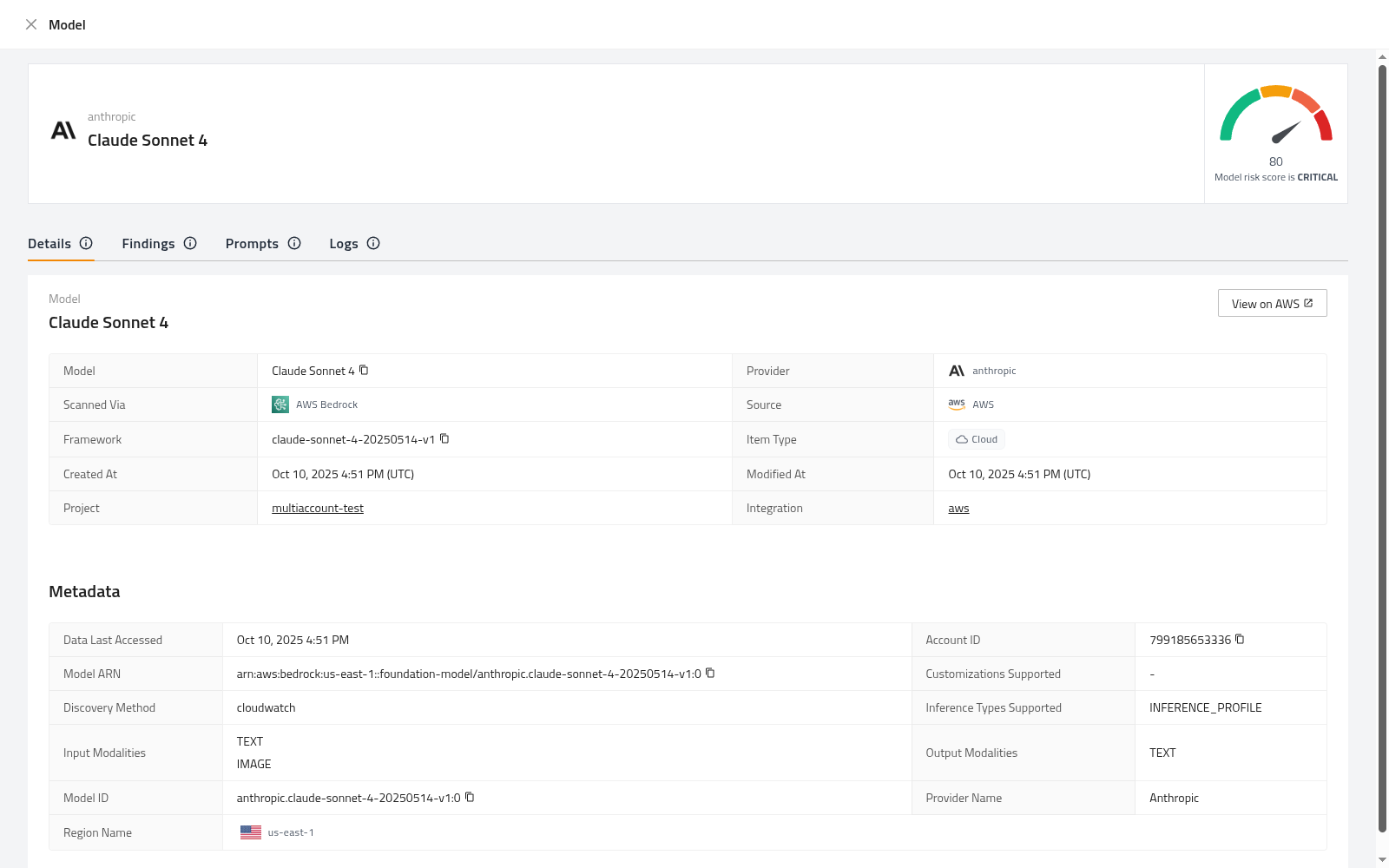
Alongside Details, each model has the following tabs:
- Findings: Security findings raised against this model.
- Prompts: Information about the prompts associated with the model.
- Logs: Detailed records showing when the model was called, what inputs were used, and what outputs were generated.