
Events Overview
Updated: September 4, 2026
The FireTail event system is a way of recording the creation, deletion and modification of AI resources discovered in your cloud providers and code repositories, as well as resources in the FireTail SaaS platform.
Events are created when:
- Resources in the FireTail platform are created, modified or deleted (for example, a resource policy).
- When resources belonging to cloud providers are scanned the following is detected:
- New resources are added.
- Resources are deleted.
- Resources are changed.
Events enable the discovery of Findings. The events are processed and any findings contained within the event are generated.
View events
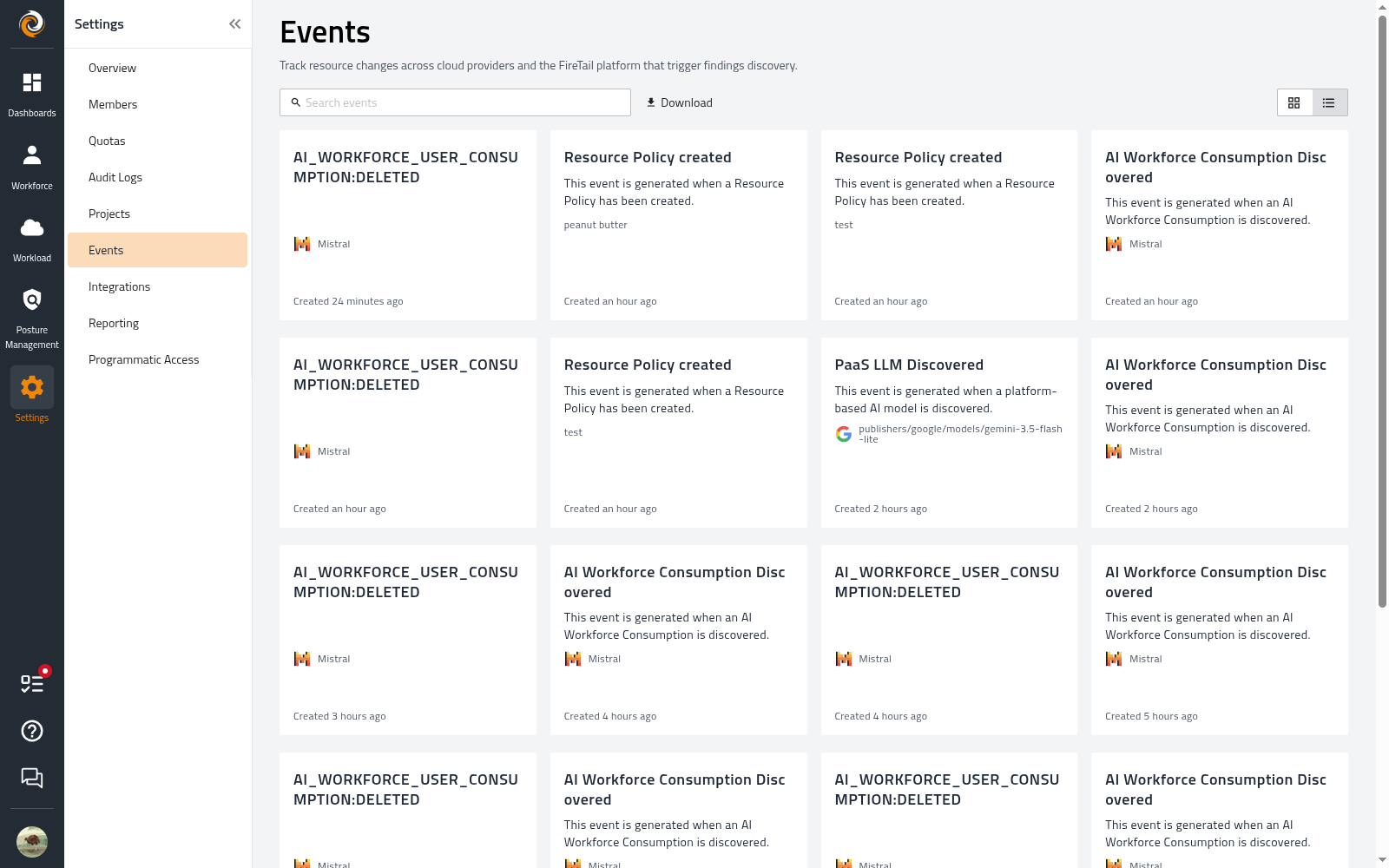
The events page enables you to view all events that have occurred and any associated findings within that event.
To view events, go to the side menu, select Settings and click Events.
Click Download to download CSV file of events data.Learn more about how to download.
Event information
- Title - The title of the event. For example; AI Workforce Consumption Discovered.
- Description - Describing the event that has been created. For example; This event is generated when an AI Workforce Consumption is discovered.
- Related Findings - Any findings that have been discovered in the event. The findings are grouped by severity.
- Created - When the event was created.
Event details
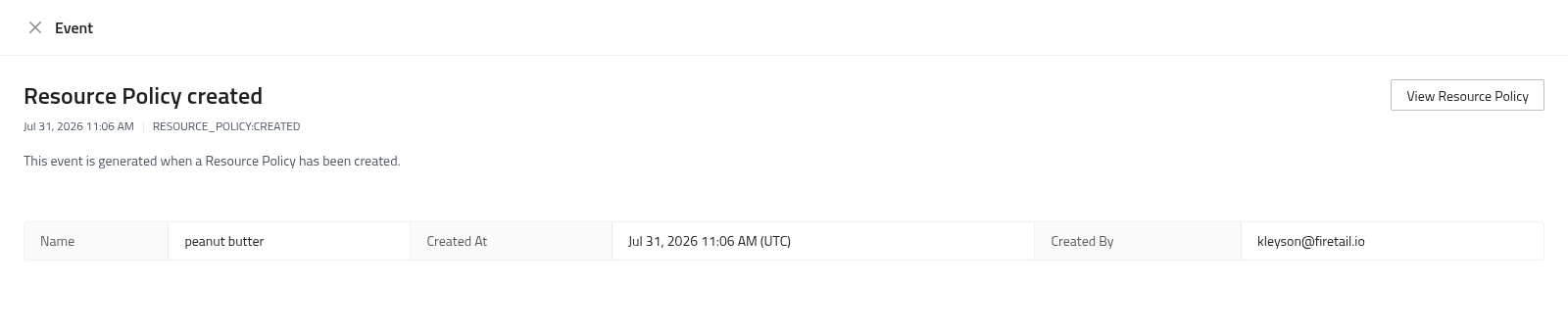
Click on a specific event to view further details about the event. The event details displays the following additional details:
- Event code - The code for the event, shown beside the timestamp (for example,
AI_WORKFORCE_USER_CONSUMPTION:DISCOVERED). See Event codes. - Name - The name of the resource the event relates to.
- Created At - When the event was created.
- Created By - Who or what created the event.
Click the findings to view all findings that occurred in the event. Use the button in the top right to open the resource the event relates to.