

Set up a Google SecOps Integration
Updated: October 22, 2026
Send FireTail findings to Google Security Operations (Chronicle) using a resource policy. FireTail authenticates through Workload Identity Federation and impersonates your Google Cloud service account.
Before you begin, configure a Workload Identity Pool and AWS provider that trust FireTail's AWS identity, allow that identity to impersonate your service account, and grant the account permission to ingest logs into your Chronicle instance. Your Chronicle log type must already exist. See Google's Workload Identity Federation guide for AWS and Chronicle API ingestion methods. Use the FireTail AWS identity supplied for your environment when configuring trust.
- In FireTail, go to Settings, then Integrations, and open Available.
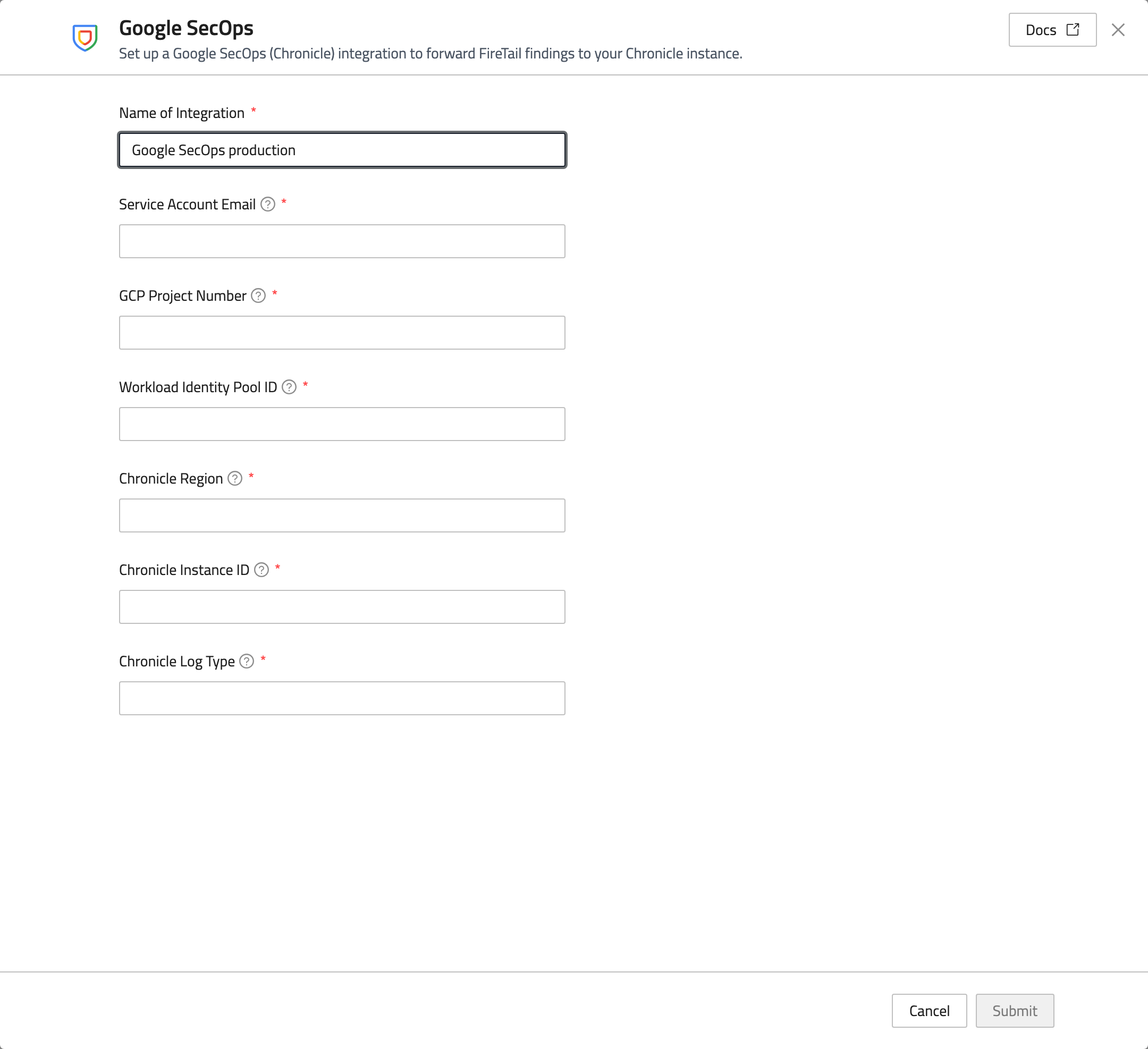
- Select Google SecOps and enter a Name of Integration.
- Complete these fields:
- Service Account Email: the service account that FireTail will impersonate.
- GCP Project Number: the numerical project identifier for the federation configuration.
- Workload Identity Pool ID: the pool configured to trust FireTail.
- Chronicle Region: the location of the Chronicle instance, such as
usoreurope. - Chronicle Instance ID: your Chronicle instance identifier.
- Chronicle Log Type: the existing log type under which FireTail events will be ingested.
- Click Submit.
Select this integration when creating or updating a resource policy. Verify that matching findings arrive in your Chronicle instance under the configured log type.