

Set up a Microsoft Sentinel Integration
Updated: October 22, 2026
Send FireTail findings to your Microsoft Sentinel workspace through the Azure Monitor Logs Ingestion API. Select this integration as the notification method for a resource policy.
Before you begin, prepare a Log Analytics destination table, a Data Collection Rule (DCR) and a Data Collection Endpoint (DCE). Create an app registration with a client secret and grant its service principal the Monitoring Metrics Publisher role on the DCR. The DCR stream must match the destination table and incoming event data. See Microsoft's Logs Ingestion API setup guide.
- In FireTail, go to Settings, then Integrations, and open Available.
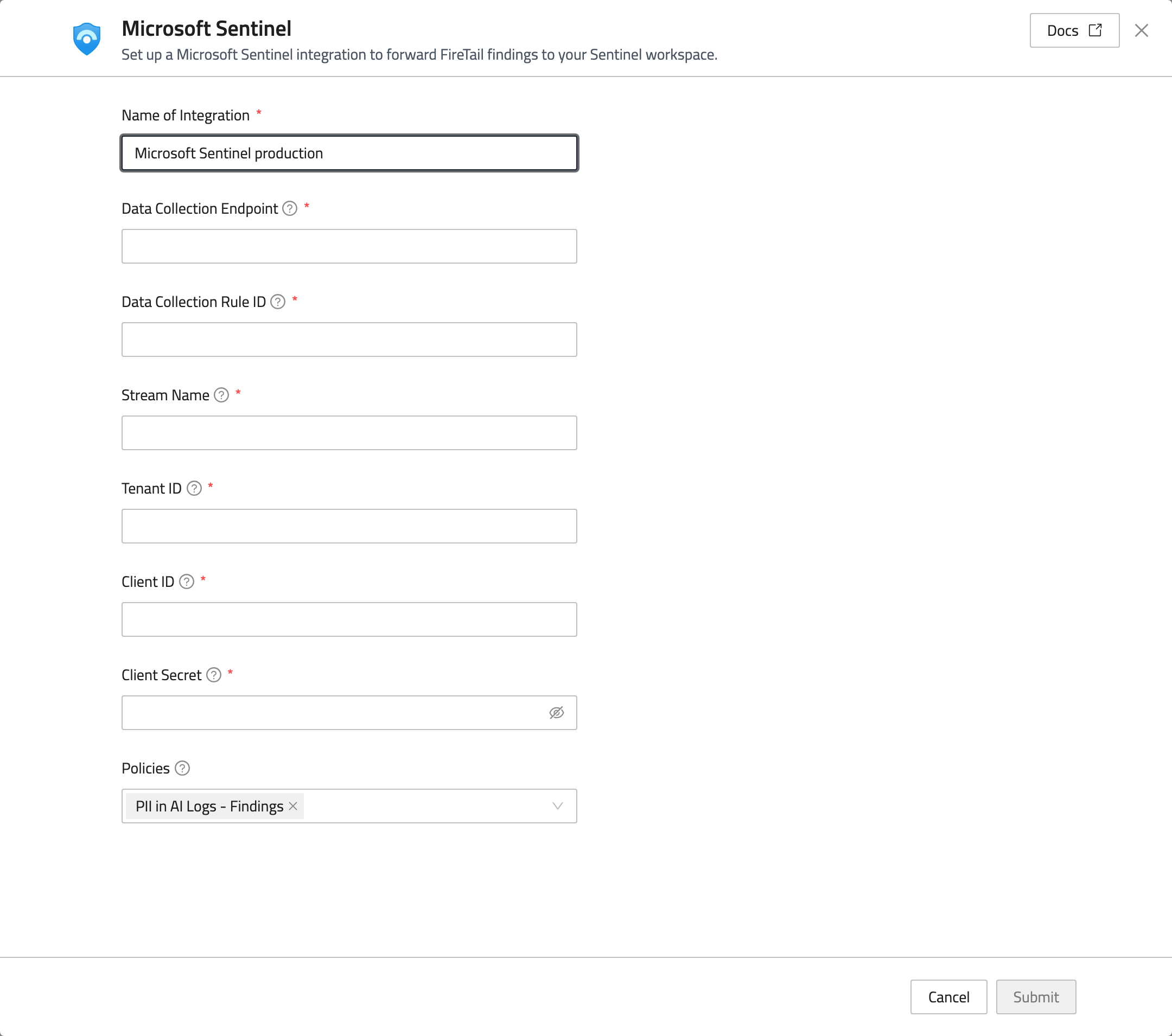
- Select Microsoft Sentinel and enter a Name of Integration.
- Fill in the Azure settings:
- Data Collection Endpoint: the DCE logs ingestion URL, such as
https://example.eastus.ingest.monitor.azure.com. - Data Collection Rule ID: the DCR's immutable ID, beginning with
dcr-. - Stream Name: the stream configured in the DCR, such as
Custom-FireTail_CL. - Tenant ID: your Azure directory ID.
- Client ID: the application ID of the app registration.
- Client Secret: the app registration's secret value.
- Data Collection Endpoint: the DCE logs ingestion URL, such as
- Under Policies, select any initial resource policies you want to create and connect.
- Click Submit.
You can also select the integration when creating or updating a resource policy. Verify that matching findings arrive in the configured Log Analytics table.