
Workforce Risk Dashboard
Updated: October 8, 2026
The Workforce Risk Dashboard provides a real-time overview of your organization's workforce activity, offering insights into logs by action, service, and risk. It helps monitor and manage workforce interactions and identify potential risks across your organization.
Navigation
To access the Workforce Risk Dashboard:
- In the side menu, go to Dashboards.
- Click on the Workforce Risk indicator near the top of the page.
Risk Summary
The charts below are grouped under a Risk Summary panel at the top of the dashboard.
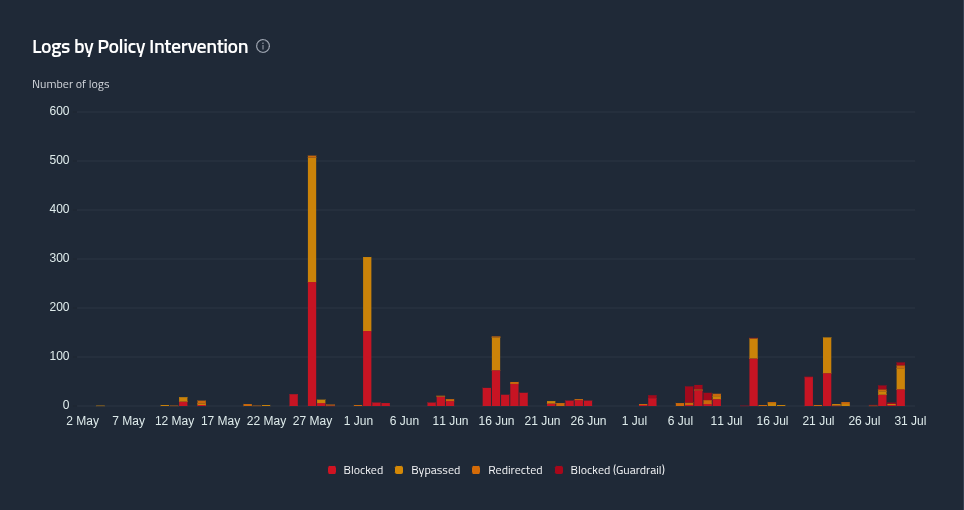
Logs by Policy Intervention
A chart displaying the number of logs grouped by how your policies intervened. This section helps you understand the distribution of activity across different interventions over the selected time period, split into Blocked, Bypassed, Redirected and Blocked (Guardrail). Hover over the chart to see a breakdown for each time period.
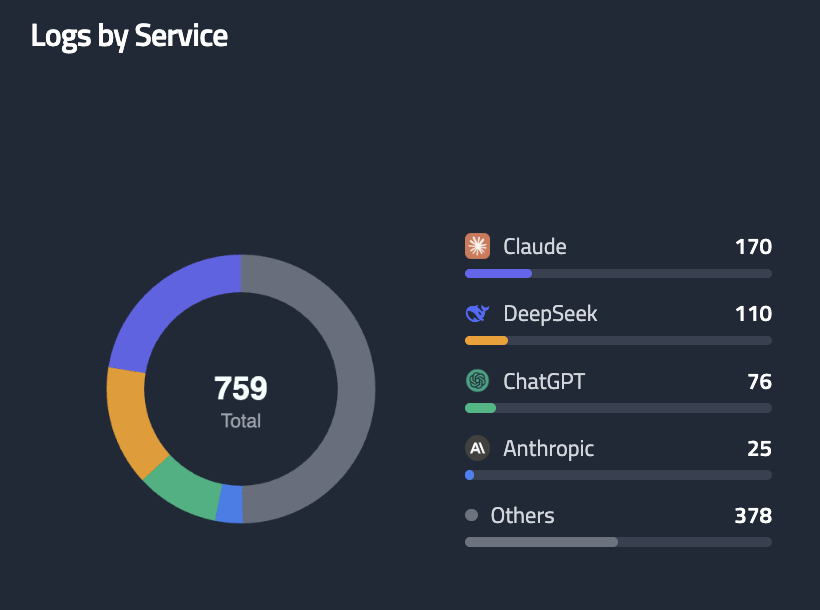
Logs by Service
This section organizes logs by the platform used, allowing you to identify which services are most active and where activity is concentrated.
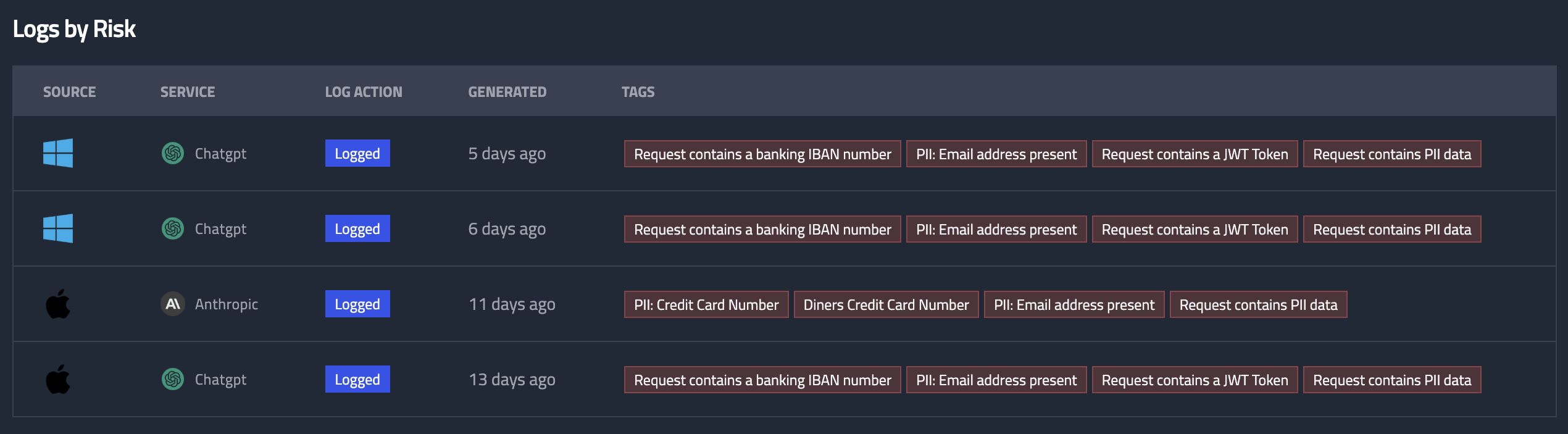
Logs by Risk
A table displaying the ten most recent logs based on risk level. This section helps you quickly identify high-risk activity and prioritize areas that require attention. Click on a log to view more details.
Learn more about Employee Logs.