Policies
Updated: October 8, 2026
Workforce Policies
Workforce policies enable you to define policies for managing access to AI platforms. These policies act as monitors that detect when Workforce resources attempt to access or use an AI platform, and perform an action to manage the use of that platform.
- In the side menu, go to Workforce and select Policies.
- Click Create Policy.
- Select the scope under which this policy should block or manage AI usage.
- Enter a name for your policy (e.g.,
"DeepSeek usage policy"). - Enter a description for your workforce policy.
- Choose the AI platforms that your policy will monitor.
- Capabilities: Configure enforcement levels for each available capability supported by your selected platforms. Certain capabilities support guardrails that enable inline content blocking to enhance security and compliance.
- Enter a message to display to the employee when your workforce policy takes action.
Depending on which Workforce Policy type you select, your policy may also require one or more of the following criteria:
- Redirect URL - Enter the URL which your workforce policy should redirect a employee to after blocking their access to one of the selected platforms.
View the full list of AI Platforms and their supported capabilities.
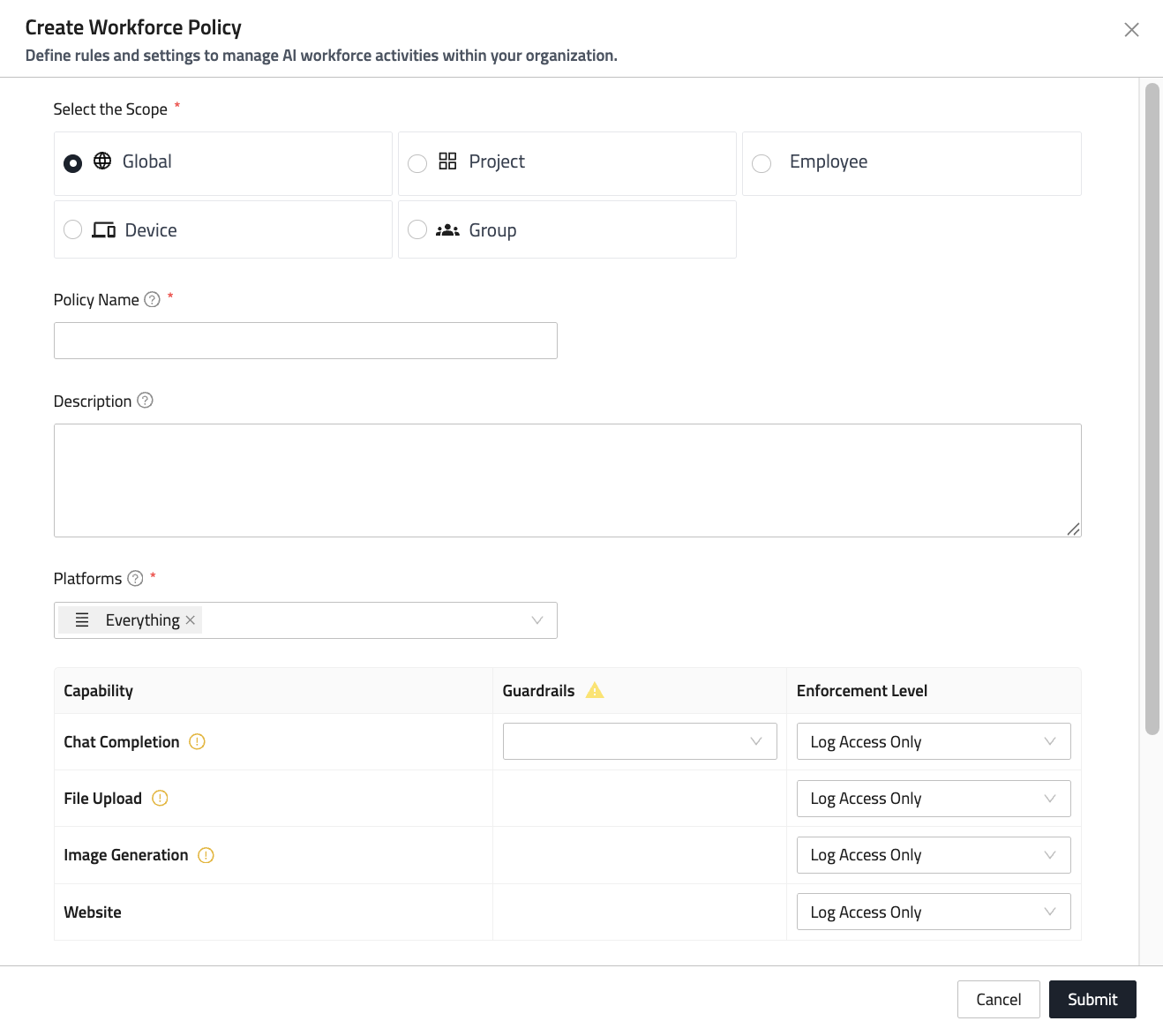
Scopes are listed from broadest to narrowest. When more than one policy applies, the narrowest scope wins — a Device policy overrides an Employee policy, which overrides Group, which overrides Global.
Creating a policy for a specific employee, group, device or project
You can also start a policy from the record it applies to. Open an employee, group, device or project, go to its Policies tab and click Create Policy.
The policy is then tied to that record: the scope reads Scope set to, and both the scope and its target are shown read-only, because a policy cannot be moved to another scope once it is tied to one. Everything else — name, description, platforms, capabilities and enforcement levels — is filled in as normal.
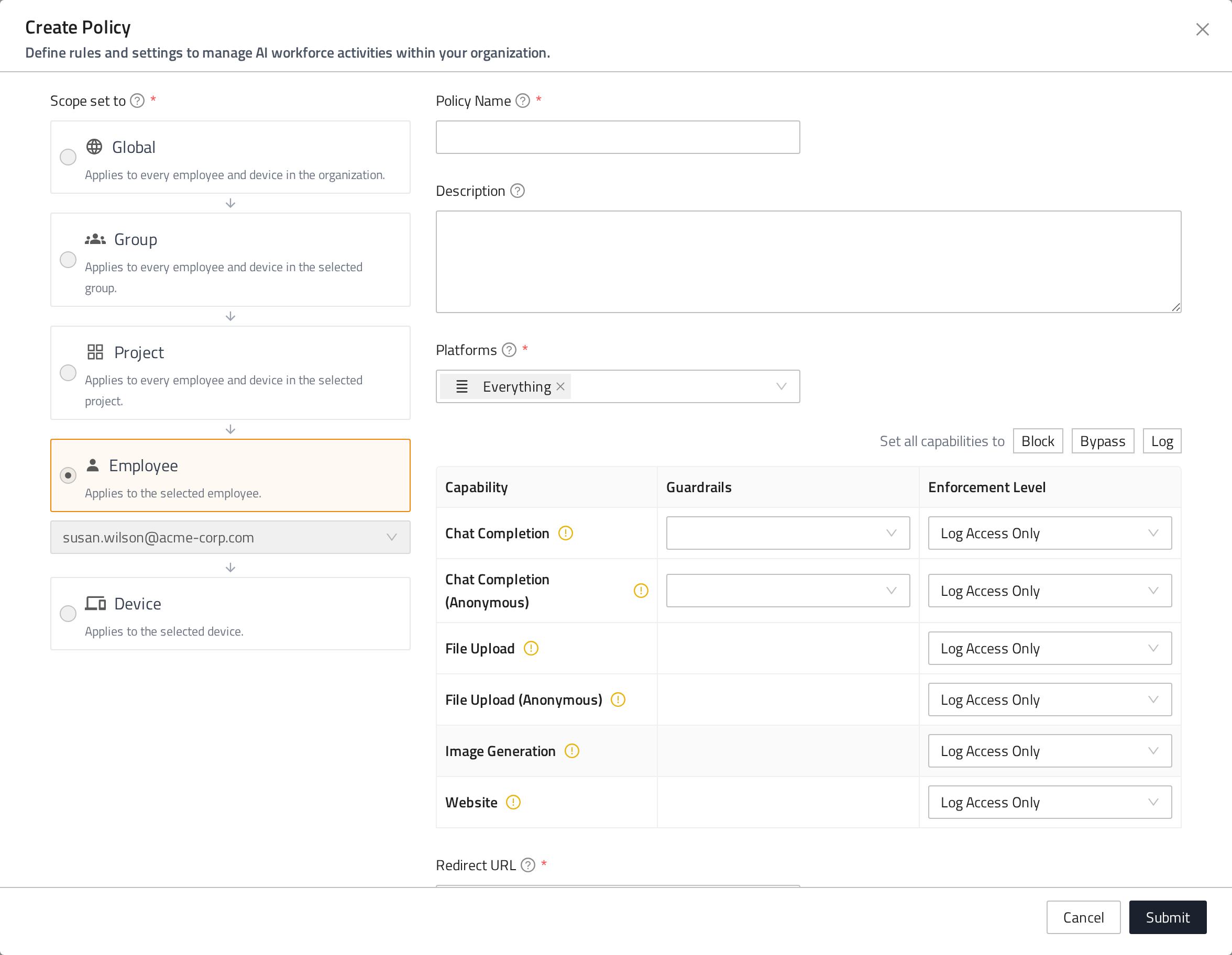
Editing an existing policy shows the same read-only scope, while its target stays editable.
Guardrails
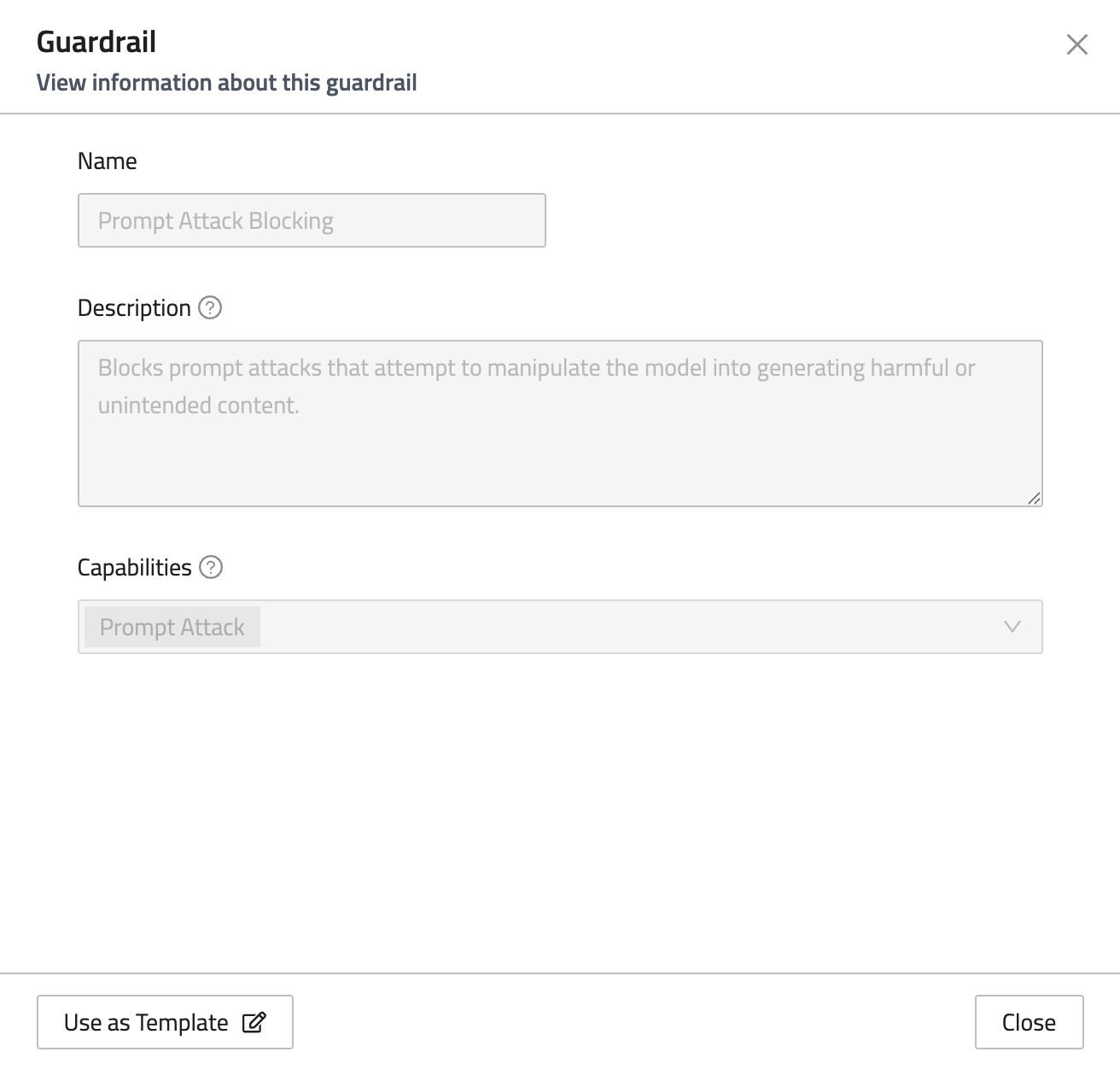
FireTail provides a curated set of predefined guardrails for inline content detection and blocking through your Workforce Policies. Each guardrail has preconfigured topics and serves as a ready-made template for Workforce Policies, enabling you to rapidly establish monitoring for those topics.
Platform Rules
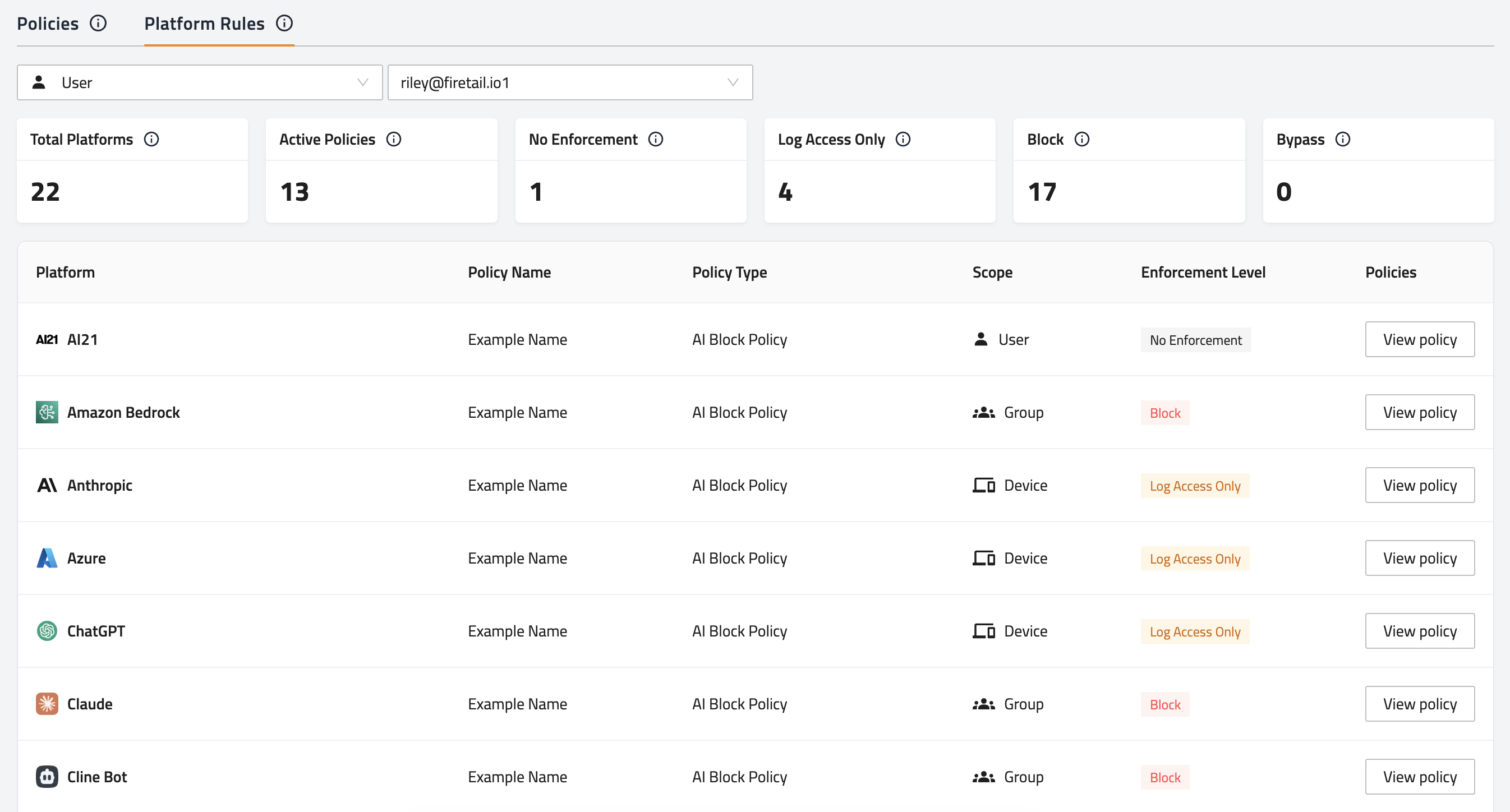
Platform rules allow you to more easily view the enforcement level applied to each platform within the selected scope, and which workforce policies are applying them.
Available scopes include:
- Global - Rules applied to every employee, group, device, and project.
- Employee - Rules applied only to a specific employee, including those applied globally.
- Device - Rules applied only to a specific device, including those applied globally.
- Group - Rules applied only to a specific group, including those applied globally.
- Project - Rules applied only to a specific project, including those applied globally.
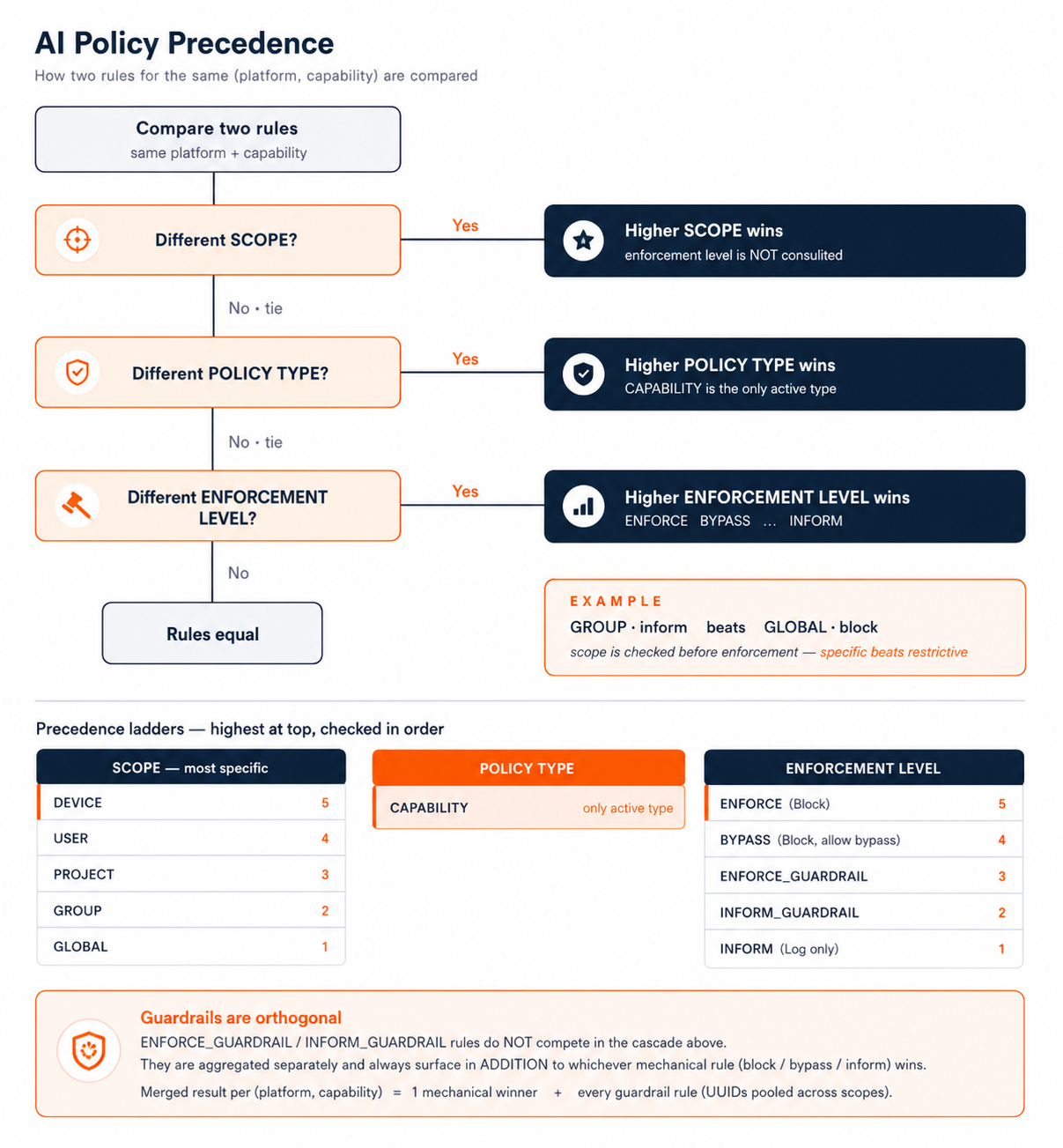
For an outline of the policy evaluation logic, and order of operations, please see the image below.